लैपटॉप चलाने का सही तरीका! 💻🛑 (The 2-Piece Hack)
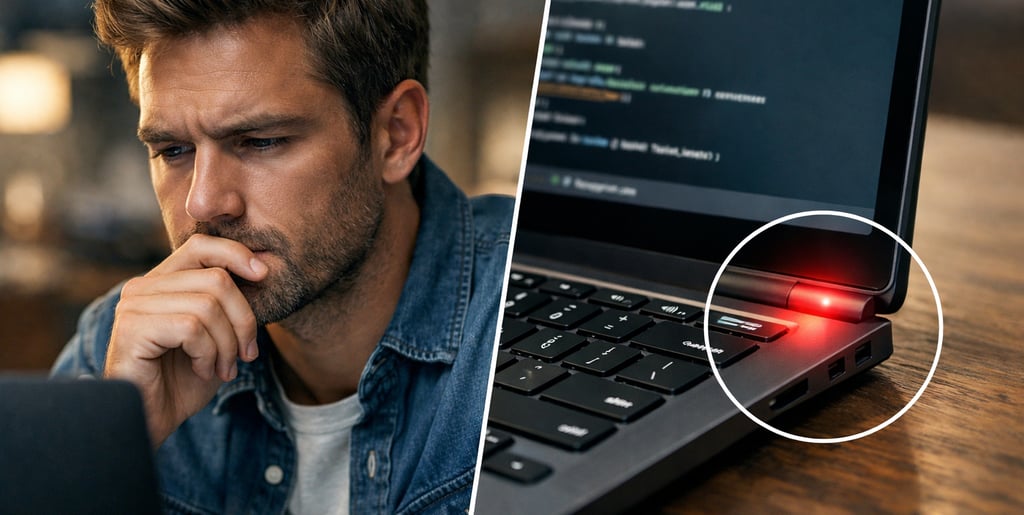
क्या आप रोज़ 7–8 घंटे laptop पर काम करते हैं…
और शाम तक आपकी neck और shoulders जलने लगते हैं?
तो सच्चाई जान लीजिए… problem सिर्फ आपकी नहीं, laptop के design में भी है।
आइए समझते हैं इस issue को simple तरीके से।
Laptop में keyboard और screen एक साथ जुड़े होते हैं।
यहीं से दिक्कत शुरू होती है।
अगर आप आराम से typing करते हैं…
तो screen नीचे होने की वजह से आपकी गर्दन आगे झुक जाती है।
और अगर आप गर्दन सीधी रखने के लिए laptop ऊपर करते हैं…
तो typing करते समय shoulders और हाथ strain में आ जाते हैं।
यानी दोनों में से कोई भी position perfect नहीं है।
तो इसका सही solution क्या है?
Simple hack— screen और keyboard को अलग कर दीजिए।
अपने laptop को stand या किताबों पर रखकर eye level तक उठाइए।
ताकि स्क्रीन देखने के लिए गर्दन झुकानी न पड़े।
और typing के लिए external keyboard और mouse इस्तेमाल करें।
इन्हें ऐसे रखें कि elbows करीब 90° पर आराम में रहें।
इस छोटे से setup change से
आपकी posture काफी बेहतर हो सकती है।
अगर लंबे समय से गलत बैठने की वजह से pain बना हुआ है…
तो इसे नजरअंदाज मत करें।
आज ही Fast Heal Physiotherapy, Kalyanpur, Kanpur में consult करें।
और इस वीडियो को हर desk job या IT वाले दोस्त तक जरूर पहुंचाएं।
तुम एक expert content rewriter और video script optimizer हो। नीचे दी गई script को इन नियमों के साथ rewrite करो: 1. Meaning, facts और flow SAME रखें, 2. हर line नए तरीके से लिखें (word-to-word copy नहीं), 3. Simple और engaging Hinglish/Hindi use करें, 4. Script बिल्कुल fresh और original लगे, 5. Hook को ज्यादा powerful बनाएं, 6. Sentences छोटे, clear और impactful रखें, 7. Original phrases repeat न हों, 8. Script को relatable और engaging बनाएं, 9. B-roll structure SAME रखें (flow न बदलें), और 10. Medical/factual meaning गलत न हो। Extra: Script 100% plagiarism-free और voiceover (teleprompter) friendly हो, curiosity और retention बढ़ाएं, और कोई over-dramatic या fake claims न जोड़ें। Output: सिर्फ final rewritten script दें, कोई explanation नहीं। Script: [PASTE YOUR SCRIPT HERE ]
Copyright-Free Script Rephrase Master Prompt
Use Your Face To Create
AI Videos
Scene 1: Hook
🗣️ Dialogue (Voiceover):
"क्या आप रोज़ 7–8 घंटे laptop पर काम करते हैं… और शाम तक आपकी neck और shoulders जलने लगते हैं?"
🎨 Video AI Prompt:
"Visual: ultra realistic, cinematic lighting, depth of field, natural motion, 4K quality. Strictly use the provided reference image as the main character (same face, Indian male, same hairstyle, same outfit). Office/work-from-home setup. The character typing on laptop for long hours, then rubbing neck and shoulders with tired painful expression. Subtle red glow on neck and shoulders. The character is NOT speaking."
Scene 2: Reality Statement
🗣️ Dialogue (Voiceover):
"तो सच्चाई जान लीजिए… problem सिर्फ आपकी नहीं, laptop के design में भी है।"
🎨 Video AI Prompt:
"Visual: ultra realistic, cinematic lighting, depth of field, natural motion, 4K quality. Same character looking at laptop thoughtfully. Split overlay showing laptop design (screen + keyboard attached). Slight highlight on problem area. The character is NOT speaking."
Scene 3: Explanation Intro
🗣️ Dialogue (Voiceover):
"आइए समझते हैं इस issue को simple तरीके से।"
🎨 Video AI Prompt:
"Visual: ultra realistic, cinematic lighting, depth of field, natural motion, 4K quality. Background transitions into clean explanatory setup. Character stands beside floating laptop model. The character is NOT speaking."
Scene 4: Design Problem
🗣️ Dialogue (Voiceover):
"Laptop में keyboard और screen एक साथ जुड़े होते हैं। यहीं से दिक्कत शुरू होती है।"
🎨 Video AI Prompt:
"Visual: ultra realistic, cinematic lighting, depth of field, natural motion, 4K quality. Close-up 3D model of laptop showing connected keyboard and screen. Highlight line connecting both. Character observing. The character is NOT speaking."
Scene 5: Typing Posture Issue
🗣️ Dialogue (Voiceover):
"अगर आप आराम से typing करते हैं… तो screen नीचे होने की वजह से आपकी गर्दन आगे झुक जाती है।"
🎨 Video AI Prompt:
"Visual: ultra realistic, cinematic lighting, depth of field, natural motion, 4K quality. Character typing comfortably but neck bent forward toward low screen. Spine/neck overlay showing forward tilt in red. The character is NOT speaking."
Scene 6: Screen Adjustment Issue
🗣️ Dialogue (Voiceover):
"और अगर आप गर्दन सीधी रखने के लिए laptop ऊपर करते हैं… तो typing करते समय shoulders और हाथ strain में आ जाते हैं।"
🎨 Video AI Prompt:
"Visual: ultra realistic, cinematic lighting, depth of field, natural motion, 4K quality. Character raising laptop to eye level, but shoulders lifted awkwardly while typing. Shoulder muscles highlighted red showing strain. The character is NOT speaking."
Scene 7: No Perfect Position
🗣️ Dialogue (Voiceover):
"यानी दोनों में से कोई भी position perfect नहीं है।"
🎨 Video AI Prompt:
"Visual: ultra realistic, cinematic lighting, depth of field, natural motion, 4K quality. Split screen showing both wrong positions (neck bent vs shoulders strained). Red cross overlay on both. Character looks confused. The character is NOT speaking."
Scene 8: Solution Intro
🗣️ Dialogue (Voiceover):
"तो इसका सही solution क्या है?"
🎨 Video AI Prompt:
"Visual: ultra realistic, cinematic lighting, depth of field, natural motion, 4K quality. Character looks hopeful. Lighting shifts brighter. Clean transition. The character is NOT speaking."
Scene 9: Hack Intro
🗣️ Dialogue (Voiceover):
"Simple hack— screen और keyboard को अलग कर दीजिए।"
🎨 Video AI Prompt:
"Visual: ultra realistic, cinematic lighting, depth of field, natural motion, 4K quality. Laptop visually separating into screen and keyboard components. Character gestures toward setup. The character is NOT speaking."
Scene 10: Screen Position
🗣️ Dialogue (Voiceover):
"अपने laptop को stand या किताबों पर रखकर eye level तक उठाइए। ताकि स्क्रीन देखने के लिए गर्दन झुकानी न पड़े।"
🎨 Video AI Prompt:
"Visual: ultra realistic, cinematic lighting, depth of field, natural motion, 4K quality. Character placing laptop on stack of books/stand. Screen aligned at eye level. Neck straight with green alignment line. The character is NOT speaking."
Scene 11: External Setup
🗣️ Dialogue (Voiceover):
"और typing के लिए external keyboard और mouse इस्तेमाल करें। इन्हें ऐसे रखें कि elbows करीब 90° पर आराम में रहें।"
🎨 Video AI Prompt:
"Visual: ultra realistic, cinematic lighting, depth of field, natural motion, 4K quality. Character using external keyboard and mouse on desk. Elbows at 90° with angle overlay. Relaxed posture. The character is NOT speaking."
Scene 12: Posture Improvement
🗣️ Dialogue (Voiceover):
"इस छोटे से setup change से आपकी posture काफी बेहतर हो सकती है।"
🎨 Video AI Prompt:
"Visual: ultra realistic, cinematic lighting, depth of field, natural motion, 4K quality. Before-after transition: slouched posture vs perfect ergonomic setup. Spine overlay turns green. Character confident and relaxed. The character is NOT speaking."
Scene 13: Warning
🗣️ Dialogue (Voiceover):
"अगर लंबे समय से गलत बैठने की वजह से pain बना हुआ है… तो इसे नजरअंदाज मत करें।"
🎨 Video AI Prompt:
"Visual: ultra realistic, cinematic lighting, depth of field, natural motion, 4K quality. Character touching neck/shoulder with concern. Subtle red warning glow. The character is NOT speaking."
Scene 14: Call to Action
🗣️ Dialogue (Voiceover):
"आज ही Fast Heal Physiotherapy, Kalyanpur, Kanpur में consult करें।"
🎨 Video AI Prompt:
"Visual: ultra realistic, cinematic lighting, depth of field, natural motion, 4K quality. Same character walking into modern physiotherapy clinic with signage. Therapist welcoming gesture. Clean bright environment. The character is NOT speaking."
Scene 15: Share CTA
🗣️ Dialogue (Voiceover):
"और इस वीडियो को हर desk job या IT वाले दोस्त तक जरूर पहुंचाएं।"
🎨 Video AI Prompt:
"Visual: ultra realistic, cinematic lighting, depth of field, natural motion, 4K quality. Character holding smartphone, subtle share gesture, confident smile. Soft fade out background. The character is NOT speaking."
Get in Touch
Have questions or ready to grow? Reach out to skill2business today.
Call
+919369875741
skilll2business.official@gmail.com